Installing Plugins
What are Minecraft plugins?
Minecraft plugins are add-ons to Minecraft servers. There are many different types of plugins and each plugin is unique in its own way. One plugin, like EssentialsX, may provide you with a plethora of additional commands that you can execute (/home, /heal, /tpa, etc) while other plugins, like CoreProtect, allow you to track who broke or placed what block. Plugins are written by third-party developers and many are free to use!
Vanilla Minecraft does not have native support for plugins. To use plugins, you must install your server with the necessary server software. The server software must be based on the Bukkit server software (CraftBukkit, Spigot, Paper, Purpur, etc). We recommend using Purpur for your server software, as it offers additional optimizations. Visit our Changing Server Versions article to learn how to change your Minecraft server software to Purpur.
Installing Plugins via One-Click Installer
Our control panel offers one-click installations of various Minecraft plugins.
First, log in to the control panel
Once logged in, scroll down on the left-hand side navigation bar until you see the Configuration category. In this category, there will be a tab labeled Plugins. Click on this tab to access the plugin installer.
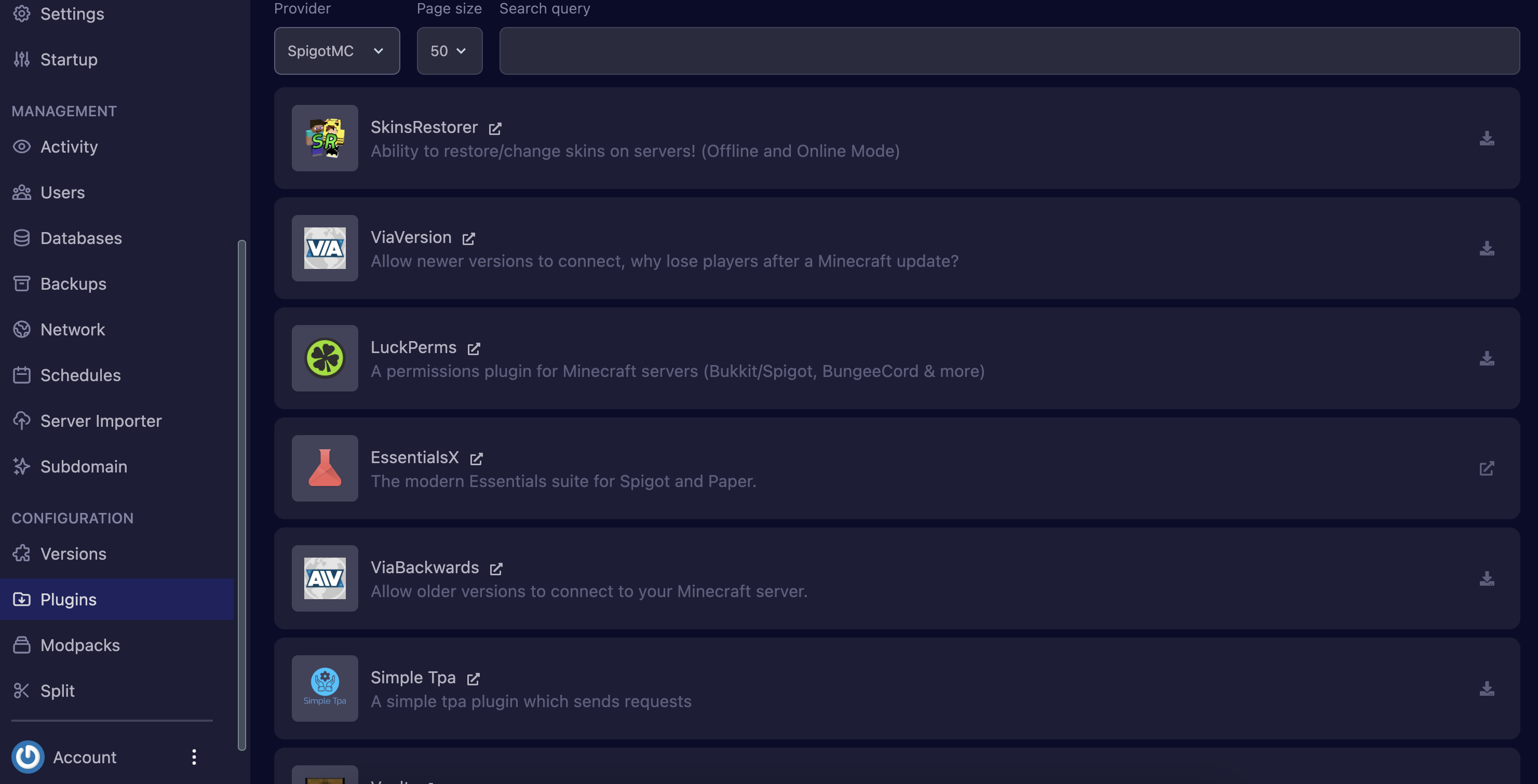
You will now be able to see a full list of plugins offered on our control panel. If you don't see a plugin in the list, you can use the search bar to help you with your search.
Our plugin installer can pull plugins from 5 different sources: CurseForge, Hangar, Modrinth, Polymart, and SpigotMC. If you can't find the plugin you're looking for, you can change the provider to another source.
To install a plugin, click on the download icon next to your desired plugin.
Some plugins may require you to download and install them manually.
To do this, click on the redirect button of the plugin you wish to install.
There are 2 things that can happen when you press this button:
-
You will immediately begin downloading a .jar file for that plugin
-
You will be redirected to the plugin's download page where you can download the .jar file from there
Once you have the .jar file for the plugin, head over to your server's File tab and upload them to the plugins folder. If you don't have a plugins folder, make sure that you have properly installed and started up your Bukkit-based server.
Once your plugins are installed, make sure to restart your server so your plugin can be properly loaded!