Installing Modpacks
Installing Modpacks with 1-click Installer
At STEL Hosting, our control panel offers 1-click installations of various modpacks.
To install them, first, log in to our control panel
Once logged in, scroll down on the left-hand side navigation bar until you see the Configuration category. In this category, there will be a tab labeled Modpacks. Click on this tab to access the modpack manager.
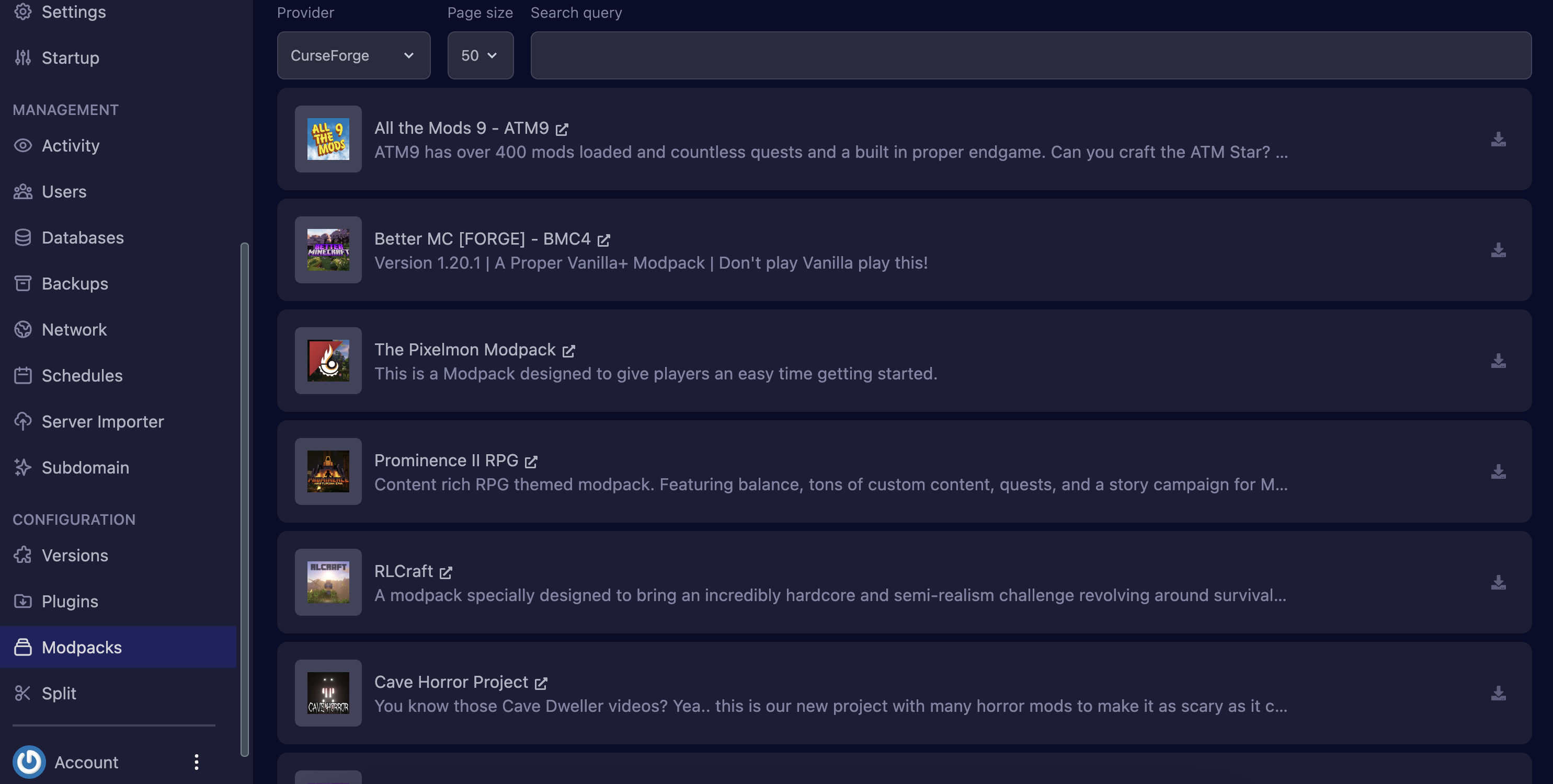
You will now be able to see a full list of modpacks offered on our control panel. If you don't see your modpack in the list, you can use the search bar to help you with your search.
Our modpack installer can pull modpacks from 5 different sources: CurseForge, Feed The Beast, Modrinth, Technic, and Voids Wrath. If you can't find the modpack you're looking for, you can change the provider to another source.
To install a modpack, click on the download icon next to your desired modpack. Some modpacks will take a few minutes to install due to their large size.
Once installed, you are ready to start your server and start your adventure!
Installing Modpacks Manually
If the modpack is not available on our 1-click installer, you can easily install it manually by using SFTP. Be sure to read our guide on accessing your server via SFTP.
First, obtain the modpack you wish to install on your local desktop - this is usually in the form of a .zip archive file.
Connect to your server via SFTP and upload the .zip archive file.
Make sure that the server directory is empty before uploading all the files.
Once uploaded, head back to the control panel and click on the Files tab. You should now see your .ziip archive file. Click on the three dots next to the file and click Unarchive.
You should now see multiple folders and files in your file manager. Files such as startserver.bat, startserver.sh, and forge-x.x-installer.jar may be deleted as they are not used by the server upon startup.
Now, you will be changing the server type to the appropriate server Forge version for your modpack.
For example, if your modpack is for 1.20.1, install the recommended Forge version for 1.20.1. However, if your modpack contains a Forge jar with a version number in its name, install the version number as indicated.
Once everything has been uploaded and configured, you can start your server. If you run into any errors or have trouble with any of this, reach out to our support team!